How to Build a Tenant-Ready CAM Reconciliation Backup Package
The CAM True-Up Is Not the Whole Deliverable
A year-end CAM reconciliation is not finished when the spreadsheet balances.
It is finished when a tenant can understand why they are being billed, where the numbers came from, which lease rules were applied, and what backup supports the charge. That is the difference between a spreadsheet true-up and a tenant-ready CAM reconciliation backup package.
Many landlords stop one step too early. They calculate actual recoverable expenses, compare them to tenant estimates, and send a balance due or credit. Then the questions start:
- Which expenses were included?
- Why did this category increase?
- Was this repair capital or operating?
- Did my cap apply?
- Did you use the correct square footage?
- Where is the invoice backup?
Those are reasonable questions. The problem is not that tenants ask them. The problem is that the supporting materials often live across QuickBooks, PDFs, lease abstracts, email threads, vendor folders, and the CAM workbook itself.
A backup package brings those pieces together before the tenant asks.
What a Tenant-Ready Package Needs to Prove
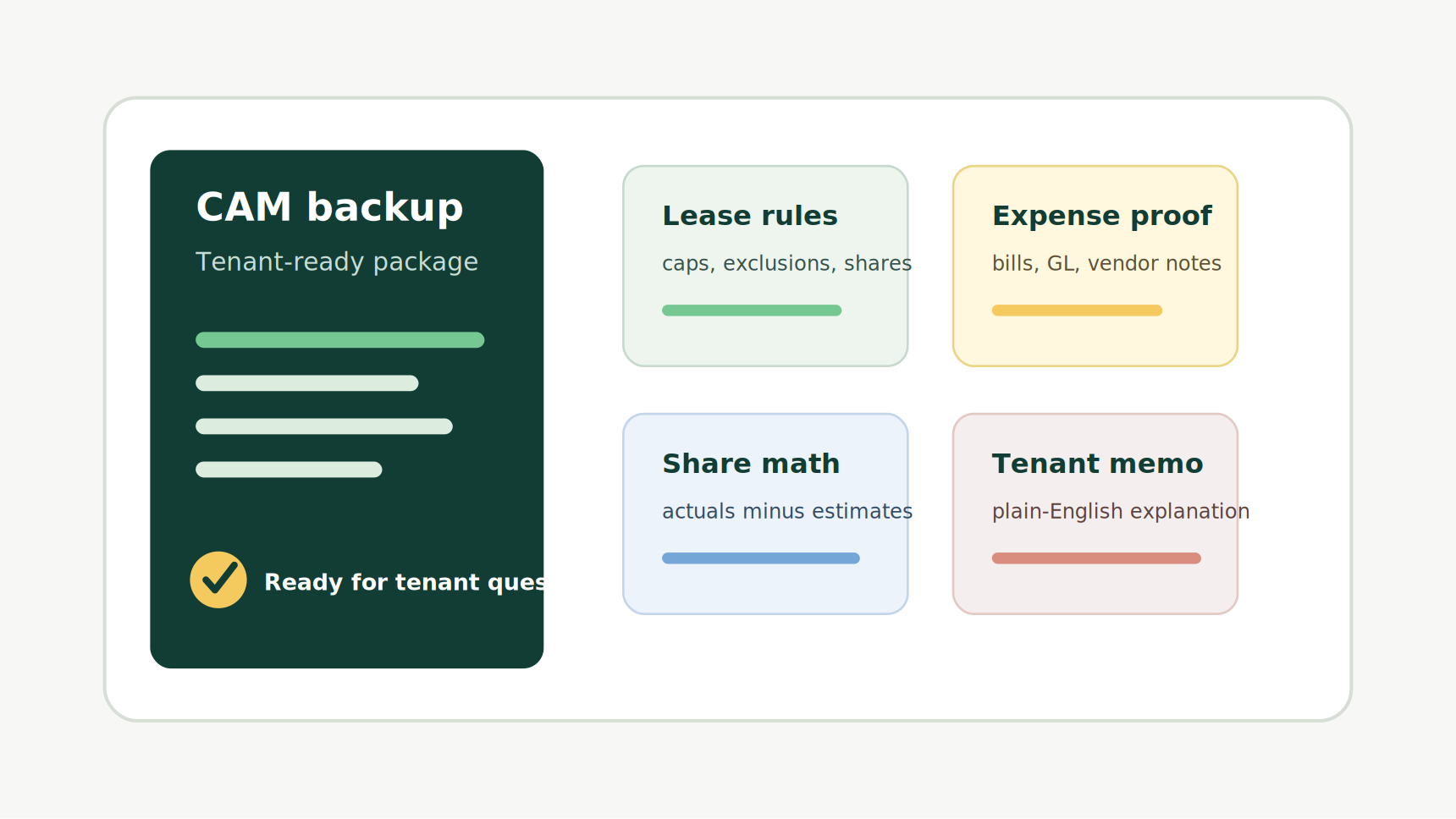
The package should prove four things: the lease permits the recovery, the expense was real, the allocation math is correct, and the explanation is clear enough for review.
If one of those pieces is missing, the reconciliation becomes harder to defend. A perfect formula does not help if the expense category is excluded by the lease. A valid expense still creates friction if the tenant cannot see how their share was calculated. A complete workbook may still fail if the cover note reads like an accounting dump.
For NNN landlords, the goal is not to overwhelm tenants with every document in the file. The goal is to show a clean trail from lease rule to final balance.
Start With the Lease Rules
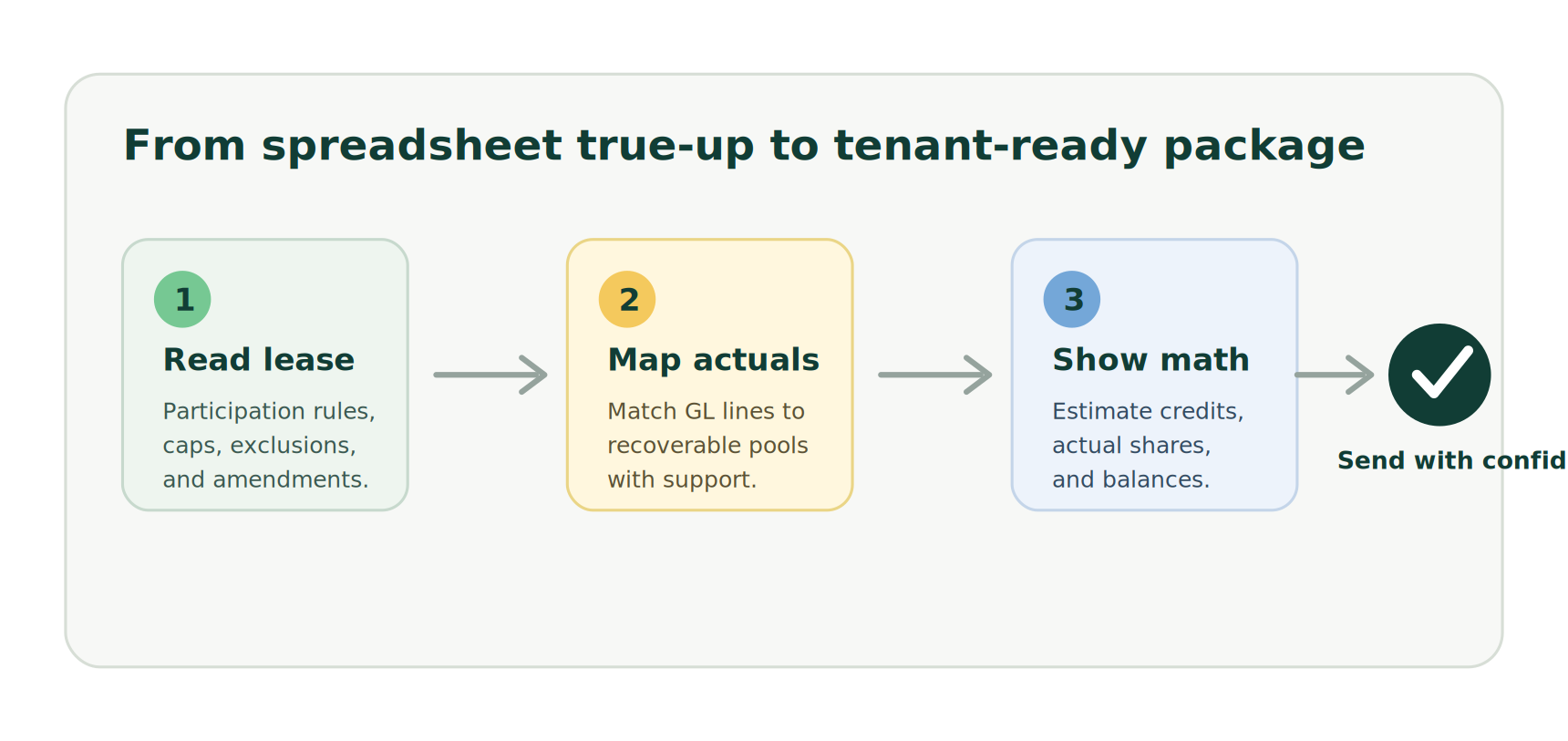
Before pulling expenses, start with the lease. The backup package should include a short summary of the rules that matter for the tenant being reconciled.
At minimum, capture:
- the tenant's rentable square footage
- the denominator used for pro-rata share
- which categories are reimbursable
- exclusions and carveouts
- management fee rules
- caps on controllable expenses
- audit or review timing requirements
- any amendments that changed the economics
This summary does not replace the lease. It gives the tenant a guide to the clauses you applied. If a tenant asks why landscaping, taxes, insurance, or management fees are included, the package should make the answer easy to locate.
This step also protects the landlord. When lease rules are summarized before the math, the team is less likely to apply a default assumption across tenants with different reimbursement language.
Separate Recoverable Expenses From Accounting Noise
QuickBooks or the general ledger may show every expense that hit a property. CAM recovery usually needs a narrower view.
The backup package should separate recoverable operating expenses from items that should stay out of the pool. That means mapping accounting lines to CAM categories and showing what was excluded.
Examples of common review points include:
- capital work versus operating repairs
- owner-specific professional fees
- leasing commissions
- tenant-specific repairs
- reserves or non-cash accounting entries
- late fees, penalties, or financing costs
- insurance deductibles and tax adjustments
Tenants do not need to see every internal accounting note, but they do need enough support to trust the pool. A category summary with invoice backup for large or unusual changes is often more useful than a raw ledger export.
Show the Math in Tenant Terms
The calculation should be presented from the tenant's point of view.
That means showing the actual recoverable pool, the tenant's share, estimated CAM already billed, and the resulting balance due or credit. If the lease has caps or exclusions, show their effect separately so the tenant can see that they were applied.
For example:
| Step | Amount | | --- | ---: | | Recoverable CAM pool after exclusions | $124,000 | | Tenant pro-rata share | 8.50% | | Tenant annual share of actuals | $10,540 | | CAM estimates billed during the year | $9,900 | | Balance due | $640 |
That table is simple, but it answers the question tenants care about most: how did you get from building expenses to my invoice?
If your reconciliation workbook has twenty tabs, do not make the tenant hunt for the answer. Put the summary up front and keep the workbook or detail behind it.
Explain Material Variances Before Tenants Ask
Most CAM questions come from changes, not from stable categories. If landscaping, snow removal, insurance, taxes, repairs, or utilities increased materially, explain the variance in the package.
A useful variance note is short and specific:
- "Insurance increased because the carrier renewal moved from $42,100 to $51,800 for the policy year."
- "Parking lot repairs were higher because of asphalt patching completed after winter damage."
- "Utilities increased because the property had two vacant suites on landlord meter service during buildout."
Those notes reduce back-and-forth because they answer the obvious question in plain language. They also make the package feel prepared instead of defensive.
Avoid vague explanations like "costs went up" or "per accounting." Tenants are not asking for a novel. They are asking whether the charge is real and lease-compliant.
Include Backup by Exception, Not by Dumping Everything
A tenant-ready package does not have to include every invoice for every expense. In fact, sending too much raw backup can make review harder.
A better approach is to include:
- category-level summaries for all recoverable expenses
- invoice copies for large or unusual items
- tax bill and insurance declarations where relevant
- GL detail for the CAM pool
- lease rule summary
- tenant calculation summary
- cover note with variance explanations
For recurring low-dollar items, a summarized schedule may be enough unless the lease or tenant request requires more detail. For large repairs, tax changes, insurance increases, or disputed categories, include stronger support up front.
The standard should be practical: would a reasonable tenant reviewer understand the charge without needing a second email?
Watch the Common Failure Points
Most reconciliation disputes do not start because the landlord intentionally billed the wrong number. They start because the package is hard to follow or because one assumption was carried over from last year without review.
Common failure points include:
- using old square footage after a suite expansion or contraction
- applying one tenant's cap to another tenant
- including capital expenses without checking lease language
- reconciling against billed estimates that do not match accounting records
- failing to separate tenant-specific expenses from common area expenses
- sending a final invoice without the calculation trail
- relying on spreadsheet tabs that only one person understands
The fix is process discipline. Build the package the same way every year, but force each tenant's lease rules to be reviewed before numbers are finalized.
How PigJet Fits Into the Workflow
PigJet is built around this exact operating problem: lease rules, rent roll data, CAM participation, tenant communications, and accounting handoff often live in different places.
For a landlord using QuickBooks, the goal is not to turn QuickBooks into a lease administration system. QuickBooks should remain the accounting record. PigJet helps structure the commercial property management context around it: which tenants reimburse which categories, what the lease says, how CAM estimates and true-ups connect, and what backup should be visible when tenants ask questions.
That matters because CAM reconciliation is not just accounting. It is lease administration, tenant communication, and documentation discipline wrapped into one workflow.
If your team is still reconciling CAM in spreadsheets, start by standardizing the backup package. Even before software changes, the package will expose which assumptions are clear and which ones are living in someone's head.
A Simple Package Checklist
Before sending a CAM reconciliation, confirm the package includes:
- lease rule summary for the tenant
- square footage and pro-rata share source
- recoverable expense summary by category
- exclusions and cap treatment
- actuals versus estimates table
- balance due or credit
- support for large or unusual expenses
- variance explanations
- payment or credit instructions
- contact path for review questions
That checklist is not complicated. The value is consistency.
A tenant-ready CAM reconciliation backup package turns the annual true-up from a fragile spreadsheet event into a repeatable operating process. It gives tenants a clearer answer, gives landlords a cleaner audit trail, and reduces the amount of time spent reconstructing decisions after invoices go out.
The best package is not the biggest one. It is the one that makes the charge understandable, lease-compliant, and easy to verify.